What "database client" means in 2026
A database client used to mean one thing: a GUI wrapped around one engine's SQL dialect. That model breaks down fast once a team runs Postgres in production, SQLite for local dev, Redis for caching, and MongoDB for one service that needed a document store. Four engines, four tools, four sets of muscle memory — or one client that speaks all of them.
The second kind is what people are actually searching for now, and it's a fundamentally different piece of software: not a SQL editor with a connection string field, but a schema-aware workspace that treats relational, document, key-value, and object storage as first-class citizens side by side.
What to look for in a modern database client
- Broad engine coverage — PostgreSQL, MySQL, MariaDB, SQLite, DuckDB, CockroachDB, YugabyteDB, TiDB, PlanetScale, and Cloudflare D1 for SQL; MongoDB and Redis for NoSQL — ideally without a plugin marketplace to assemble it yourself.
- A native, zero-proxy connection — a Rust or equivalent async driver talking straight to the database, not a JDBC bridge or a hosted proxy holding your credentials.
- Real schema tooling — a visual ERD, not just a table list; a document explorer for MongoDB, not a JSON blob viewer; a keyspace browser for Redis, not a raw
SCANprompt. - An AI assistant that knows your actual schema — one that reads your real tables and collections before generating a query, and stops at a confirmation dialog before running anything destructive (
INSERT,UPDATE,DELETE,DROP). - Inline data editing with atomic commits — editing a grid cell and having it actually land as a single transaction, not a queue of statements you have to trust.
rdSQL Desktop as a universal database client
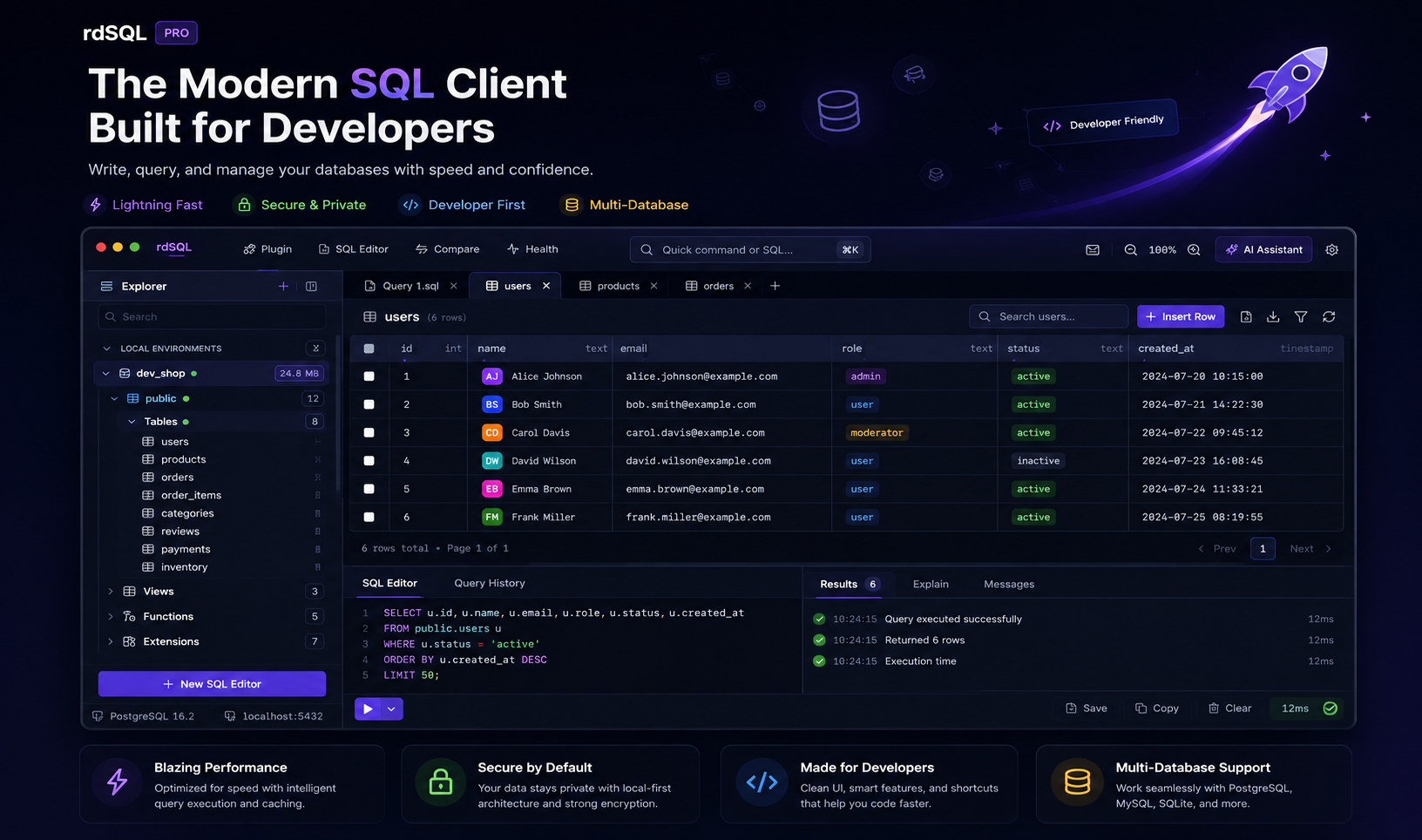
rdSQL Desktop is built around exactly that model: one native app, one Explorer, every connection type.
SQL engines — PostgreSQL, MySQL, MariaDB, SQLite, DuckDB, CockroachDB, YugabyteDB, TiDB, PlanetScale, and Cloudflare D1 all connect through a native async driver — no JDBC bridge, no remote proxy sitting between you and the database.
NoSQL — MongoDB shows up as a real schema tree (Documents, Structure, Indexes, Aggregation per collection), with BSON-aware editing that round-trips ObjectId, Date, Decimal128, and other types losslessly instead of flattening them to plain JSON. Redis gets a SCAN-based key browser across all 16 logical databases, full support for STRING/HASH/LIST/SET/ZSET, and an in-app command log showing exactly what ran.
Object storage, in the same workspace — S3, Cloudflare R2, MinIO, Backblaze B2, and DigitalOcean Spaces sit right next to your database connections, so a production incident that touches both a bucket and a table doesn't mean two separate tools.
Across every connection type:
- A Monaco-based SQL editor with autocompletion and formatting, plus a schema-aware AI assistant (bring your own key — OpenAI, Claude, Gemini, OpenRouter, z.ai, or any OpenAI-compatible endpoint) that generates, explains, and fixes queries against your real schema, not a guess.
- Every destructive statement the assistant proposes stops at a confirmation dialog showing the exact statement before it runs.
- Visual ERDs for relational schemas, and inline grid editing with atomic Cmd+S commits.
Database client comparison at a glance
| rdSQL Desktop | Single-engine GUI | psql / mongosh / redis-cli | |
|---|---|---|---|
| SQL + MongoDB + Redis + object storage in one app | Yes | No | No |
| Native, zero-proxy connections | Yes | Varies | Yes |
| Visual ERD | Yes | Sometimes | No |
| Schema-aware AI assistant | Yes, BYO key | Rare | No |
| Confirmation before destructive statements | Yes | Varies | No (manual discipline) |
FAQ
Does one client really work well across SQL and NoSQL, or is it a compromise on both? Each engine gets purpose-built tooling — a document explorer for MongoDB, a keyspace browser for Redis, an ERD for relational schemas — rather than forcing everything through a single generic table-grid view.
What databases does rdSQL Desktop support? PostgreSQL, MySQL, MariaDB, SQLite, DuckDB, CockroachDB, YugabyteDB, TiDB, PlanetScale, Cloudflare D1, MongoDB, and Redis, plus S3-compatible object storage. See the full feature list.
Can I use my own AI provider? Yes — the AI assistant is bring-your-own-key, with support for OpenAI, Claude, Gemini, OpenRouter, z.ai, or any OpenAI-compatible endpoint.
Is it available for my OS? Native builds ship for macOS, Windows, and Linux. See Download.
Ready to consolidate your database tools? Download rdSQL Desktop for macOS, Windows, or Linux.