 Neon Support
The Best Neon GUI Client for Windows, macOS and Linux
A fast, native Neon Postgres GUI client for macOS, Windows, and Linux.
Free • macOS, Windows & Linux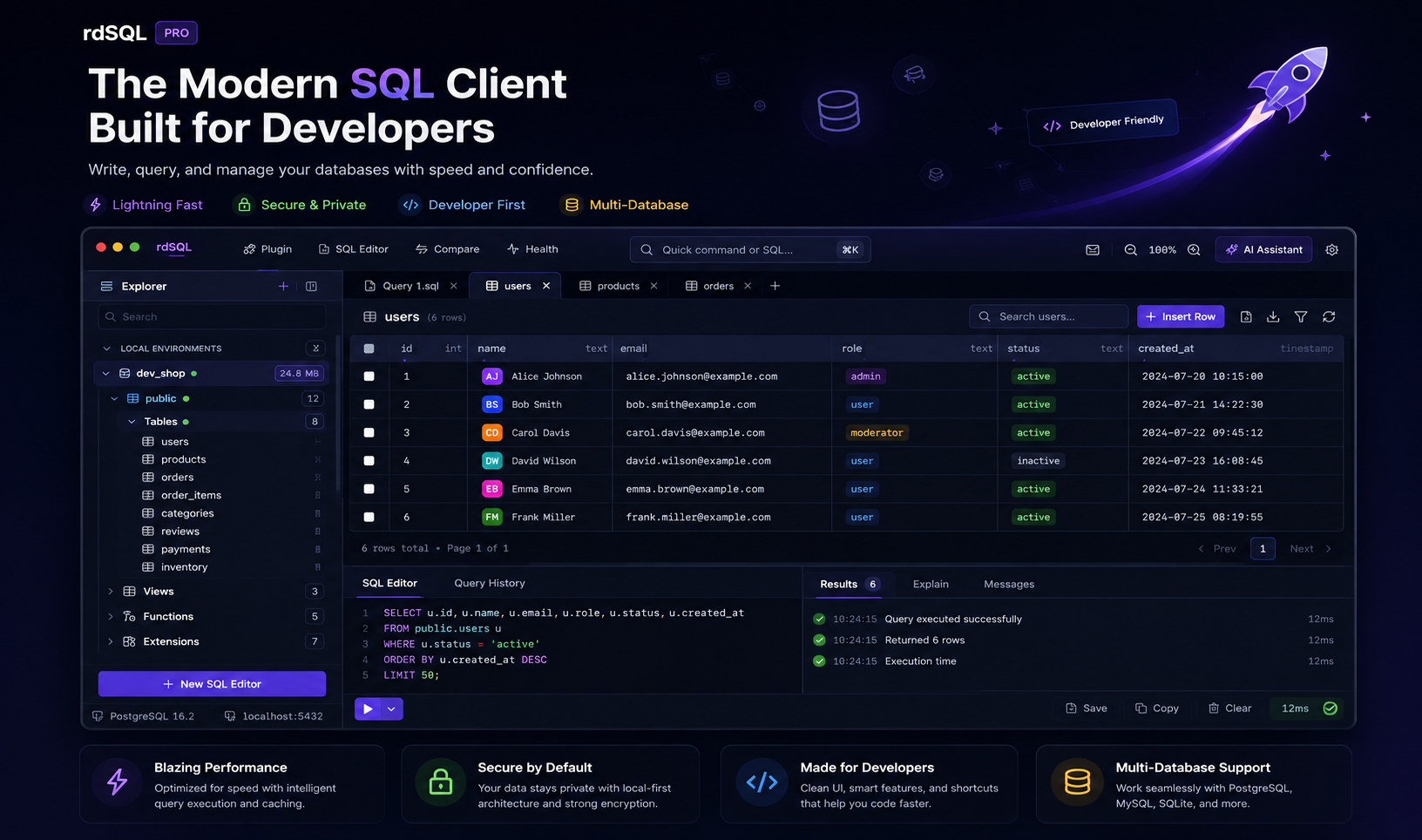
rdSQL Desktop connects straight to your Neon serverless Postgres over TLS — paste the connection string from the Neon console, then browse schemas, write queries, edit data, and back up to or from Neon in one native app.
Paste the Neon Connection String
Paste the postgresql:// URL from the Neon console and rdSQL fills in the host, database, user and password, picks the Neon engine, and turns on SSL, which Neon requires.
Back Up Into or Out of Neon
Copy a local or self-hosted PostgreSQL database straight into a Neon branch, or restore a .sql backup into it. Tables, data, column defaults, serial and identity sequences, and enum types come across, and it works without superuser rights, which Neon never grants.
Monaco SQL Editor + AI Assistant
Write and run Neon queries in a full-featured editor with autocompletion and formatting, plus a schema-aware AI assistant that generates, explains, and fixes SQL against your real Neon tables — not a guess at your schema. Bring your own key (OpenAI, Claude, Gemini, OpenRouter, z.ai, or any OpenAI-compatible endpoint); every INSERT, UPDATE, DELETE, or DROP the assistant proposes stops at a confirmation dialog showing the exact statement before it runs.
Visual ERD & Inline Grid Editing
Map your Neon schema on an interactive relationship diagram, and edit result grids inline with atomic Cmd+S commits.
Zero Telemetry
Credentials, query logs, and record sets never touch any cloud server.
Native Rust Performance
A native async driver pool built for low-latency queries — not an Electron wrapper.
One Workspace, Every Engine
Switch between Neon and any other supported engine without leaving the app.